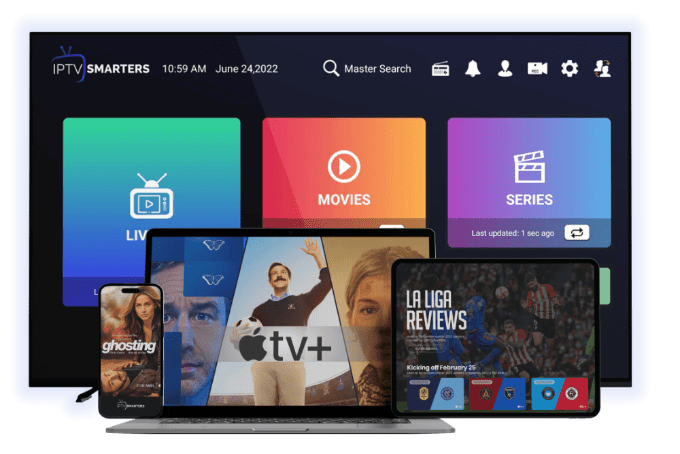
IPTV Smarters Pro: Complete UK Guide to Setup, Features, Safety & Best Practices
IPTV Smarters Pro has become one of the most widely used IPTV applications in the UK thanks to its flexibility, clean interface, and compatibility with almost every modern device. Whether you’re watching live TV, movies, or sports, this app gives users full control over how they stream IPTV content.
In this guide, you’ll discover what IPTV Smarters Pro is, how it works, how to install it on different devices in the UK, and how to use it safely. We’ll also cover common questions UK users ask before getting started.
Main Takeaways
- IPTV Smarters Pro is a media player, not an IPTV service
- It works with Xtream Codes, M3U links, and API logins
- Compatible with Smart TVs, Firestick, Android, iOS, and Windows
- UK users often combine it with VPN protection for privacy
- Easy setup and multi-screen support make it popular in the UK
What Is IPTV?
IPTV (Internet Protocol Television) allows TV content to be streamed over the internet instead of traditional satellite or cable connections. This gives users more flexibility, better device compatibility, and access to content on demand.
Instead of scheduled broadcasts, IPTV streams content directly when requested — making it ideal for modern viewing habits.
What Is IPTV Smarters Pro?
IPTV Smarters Pro is an IPTV player application designed to work with IPTV subscriptions provided by third-party services. It does not host channels itself but acts as a powerful interface to organize and play IPTV content.
Many users choose it because it supports advanced features like EPG, catch-up TV, parental controls, and multi-screen viewing.
You can learn more about compatible IPTV formats directly from it’s documentation pages or trusted IPTV setup resources online.
Key Features of IPTV Smarters Pro
- Clean and modern user interface
- Live TV, VOD, series, and catch-up support
- Multi-user and multi-screen functionality
- Built-in EPG (Electronic Program Guide)
- Parental control options
- Works with most IPTV providers
For users comparing IPTV apps, IPTV Smarters Pro is often recommended alongside other IPTV players due to its stability and device support.
Why UK Viewers Prefer IPTV Smarters Pro
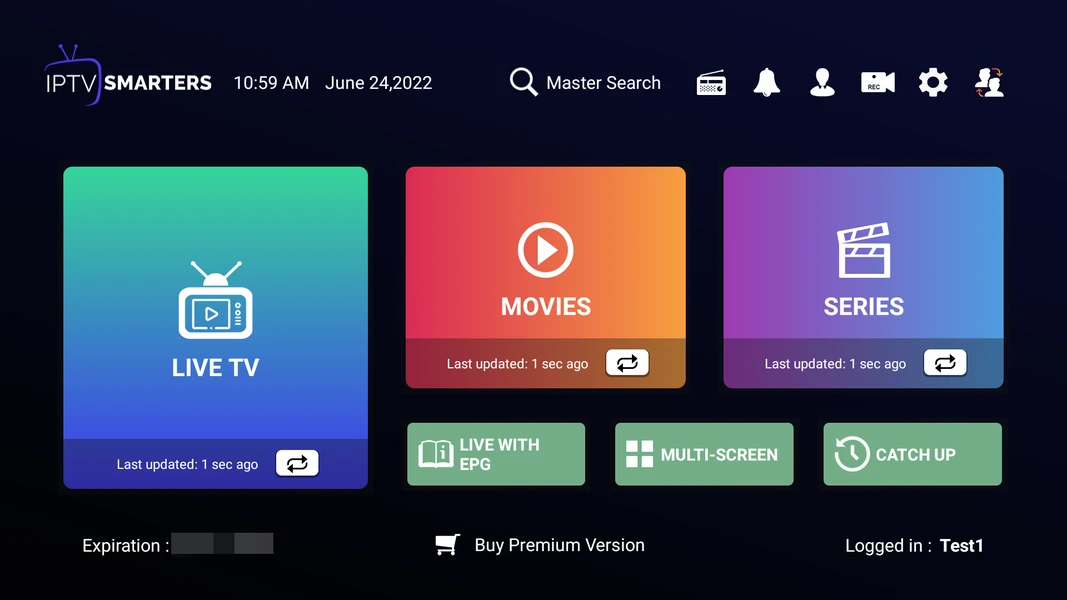
Simple and User-Friendly Interface
The app is designed to be easy to navigate, even for beginners. Channels, categories, and content are clearly organized, making everyday use straightforward.
Works With Most IPTV Providers
IPTV Smarters Pro works with nearly all IPTV services that offer Xtream Codes or M3U playlists. This flexibility is why many UK users choose it as their default IPTV player.
Multi-Device Compatibility
You can use it on Smart TVs, Firestick, Android phones, tablets, and even PCs — all with the same IPTV subscription.
How to Install IPTV Smarters Pro in the UK
Smart TV (Samsung & LG)
- Open the app store on your Smart TV
- Search for IPTV Smarters Pro
- Install the app
- Launch it and log in using your IPTV provider credentials
Firestick Installation Guide
Firestick users in the UK often install it manually.
Step 1: Enable Unknown Sources
Go to Settings → My Fire TV → Developer Options
Enable Apps from Unknown Sources
Step 2: Download the App
Install the Downloader app
Enter the official IPTV Smarters Pro download URL
Step 3: Log In
Open IPTV Smarters Pro
Enter your IPTV provider’s Xtream Codes or M3U details
Many Firestick users also explore guides on optimizing Firestick IPTV performance for smoother streaming.
Android Devices
- Download IPTV Smarters Pro from the Google Play Store
- Open the app
- Add your IPTV subscription details
- Start streaming
Staying Safe While Using IPTV Smarters Pro in the UK
UK ISPs sometimes monitor IPTV traffic, which is why many users choose to protect their connection.
Using a reliable VPN helps:
Prevent ISP throttling
Protect your privacy
Access IPTV content securely
Many UK users research VPNs compatible with it before streaming to ensure smooth performance and stable connections.
Frequently Asked Questions
Is it legal in the UK?
Yes. IPTV Smarters Pro itself is legal because it is only a media player. The legality depends on the IPTV service you connect to.
Is it legal in the UK?
It depends on the provider. Only IPTV services with proper broadcasting rights are legal in the UK.
Can my internet provider block IPTV?
Some ISPs may restrict IPTV traffic. Using a VPN can help prevent this.
Does it work without a subscription?
No. You need a valid IPTV subscription to use IPTV Smarters Pro.
Can it be used on multiple devices?
Yes, depending on your IPTV provider’s connection limits.
Conclusion
IPTV Smarters Pro remains one of the most trusted IPTV player apps for UK users due to its flexibility, ease of use, and wide device support. When combined with a reliable IPTV subscription and proper privacy tools, it offers a smooth and customizable streaming experience.
If you’re setting up IPTV for the first time or switching apps, IPTV Smarters Pro is a strong choice for UK viewers who want control, stability, and compatibility across devices.